Register a Handset
From the Base
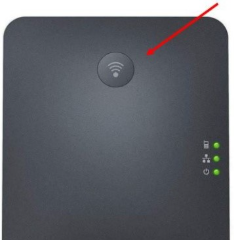
On the W70B base station, press and hold the signal button for 3 seconds, or until the handset indicator starts to flash.
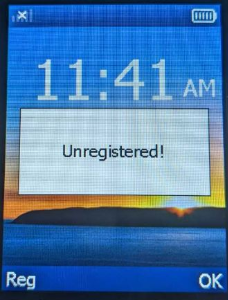
On the handset (W56H or W59R) press the Reg softkey.
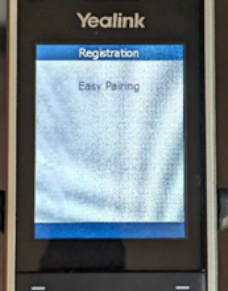
The handset will search for the base and the screen will say Easy Pairing once it locates the base.
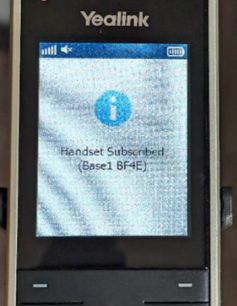
Once the handset successfully pairs to the base it will audibly alert and display Handset Subscribed along with the last 4 characters of the base unit MAC address on the screen.

Deregister a Handset
From the Handset
From the W56H handset, press the OK button.
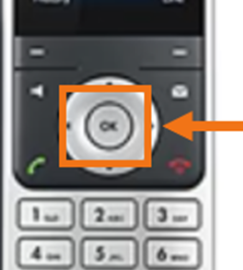
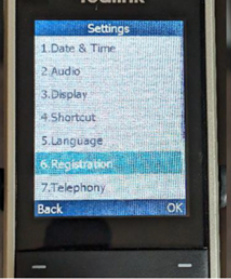
Use the directional pad to select Settings
Choose Registration.
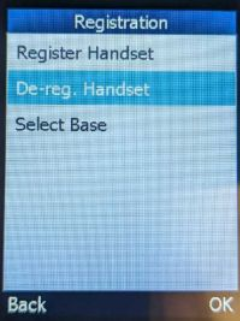
Choose De-Reg Handset.
Enter 0000 for the PIN.
Choose the handset to deregister.
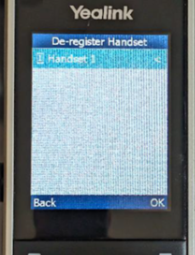
Press the Yes softkey to confirm.
Was this article helpful?
That’s Great!
Thank you for your feedback
Sorry! We couldn't be helpful
Thank you for your feedback
Feedback sent
We appreciate your effort and will try to fix the article